


WOMBO Dream - AI Art Generator
3.710.66K Reviews
App Specs
- Version
- 7.0.9
- Updated On
- License
- Free
- Downloads
- 10,000,000+
- Developer
- Wombo Studios Inc
- Categories
- Art & Design
- Platform
- Android, iOS
Screenshots
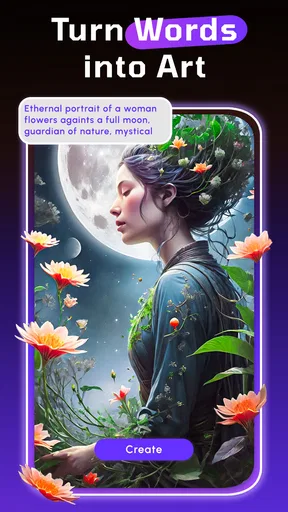
 Analysis by AppCompare
I’d decide whether to try WOMBO Dream by asking one practical question: do I want to make a picture quickly from an idea, or do I want detailed control over every mark? This app is aimed at the first kind of creative session. It turns a short written description into an image, so I can explore a visual idea without first learning a conventional drawing or painting tool. That makes it inviting, but it also sets expectations: the result is an interpretation, not a precise illustration that follows every instruction.
That distinction matters if you are choosing among art apps. A drawing app is usually the better fit when you want to place each line yourself, build layers carefully, or revise a specific part of a finished composition. A photo editor suits someone who wants to improve an existing image. WOMBO Dream makes more sense when the starting point is a phrase, mood, or imaginative combination that would be awkward to produce by hand. I find it most useful as a way to explore possibilities, rather than as a substitute for every other creative tool.
Start with an idea, not a perfect prompt
When I use a text-to-image app, I get more value by treating the prompt as a sketch. I begin with the subject and the feeling I want, then change one detail if the first image misses the mark. For example, I might keep a forest scene but shift its lighting or make the atmosphere more mysterious. Changing one element at a time makes it easier to tell what influenced the result than rewriting the entire description after every attempt.
This is a useful habit with WOMBO Dream because a prompt is not a set of exact drawing commands. Two descriptions that seem nearly identical to me can lead to noticeably different compositions, and a generated image may emphasize a detail I considered secondary. I would avoid putting a long shopping list of objects into one prompt when the relationship between them matters. If the picture must show a particular pose, exact lettering, or carefully arranged objects, a hands-on illustration workflow is likely to give me more dependable control.
Where a quick generated image helps
I can see myself opening it during an ordinary planning moment: I am putting together a mood board for a small creative project, have a rough idea of a moonlit garden, and want a visual starting point before choosing colors or making a sketch. A generated result can help me decide whether I am drawn to a soft, dreamlike direction or something bolder. I can save the useful image as inspiration and do the precise work in another app if the project needs it.
That makes the app handy for casual experimentation, personal wallpaper ideas, a visual prompt for a writing session, or a quick concept to share with a friend. The important trade-off is that “inspiration” and “finished asset” are not always the same thing. I would check the image at the size and in the context where I intend to use it. If the output needs exact details, consistent characters across several images, or clean text, I would not assume a good-looking first result is ready for the job without further work.
Who may prefer a different kind of tool
WOMBO Dream is less compelling for someone who already enjoys drawing every part of an image or needs precise editing controls. Traditional art apps reward patience with direct control; this app trades some of that control for speed and surprise. Neither approach is automatically better. I would choose the generator when I want to see an idea take shape quickly, and choose a drawing program when the final composition has to match a specific plan.
Worth Reading Before You Choose

EA SPORTS FC Mobile 26 Is a Bigger Football Game, but It Takes Time

Flipboard Shows What News Apps Must Do Beyond the Feed

Switching to Android Auto Means Rethinking Your Driving Routine

Google Calendar Makes a Crowded Week Easier to Manage

Ludo King Makes the Most of the Minutes Between Plans

Baby Panda World Brings Quick Play to Modern Phones, but Its Game Library Feels Busy
It is also worth separating a pleasant browsing experience from a focused production workflow. Looking through other people’s work can spark ideas, but it can pull me away from making my own image if I open the app without a clear purpose. When I want to create, I would decide on a subject first, make a small number of deliberate prompt changes, and stop once I have a direction worth developing elsewhere. That keeps the tool useful rather than turning every session into endless comparison.
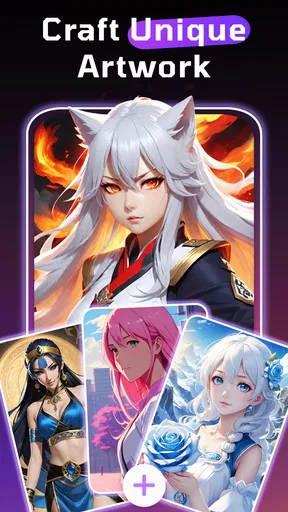
Have you ever wanted to create stunning artwork but felt a tad intimidated by the complexities of traditional art apps? Well, let me introduce you to WOMBO Dream – an app that lets you turn your wildest imaginations into vibrant, AI-generated art pieces with just a few taps. Trust me, this app is a game-changer for anyone who’s ever yearned to unleash their inner artist without the hassle of mastering a paintbrush.
Getting Started with WOMBO Dream
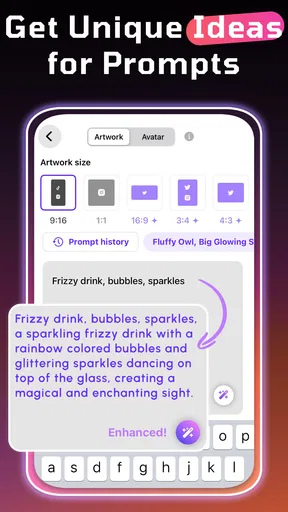
Jumping into WOMBO Dream is as easy as pie. The interface is so user-friendly that even your grandma could navigate it. No offense to grandmas out there! You start by either uploading a photo or simply typing in a prompt. Yes, you heard that right. Just type what you envision, hit generate, and voila – the app does its AI magic.
When I first tried it, I just typed in "a mystical forest with glowing trees," and within seconds, the app conjured up a mesmerizing piece that looked like it belonged in a fantasy novel. It’s seriously impressive how quickly it generates these artworks.
Features That Make WOMBO Dream Stand Out
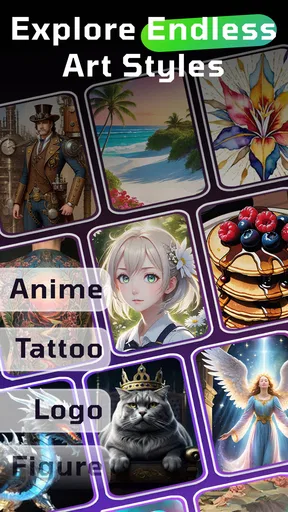
One of the standout features is the variety of art styles you can choose from. Whether you’re into cubism, impressionism, or even a more futuristic look, there’s something here for everyone. I personally enjoyed experimenting with the different styles – it’s like having a digital palette at your fingertips.
- Style Options: From dreamy pastels to bold abstracts, the options are endless.
- Ease of Use: The app’s intuitive design makes it accessible for all ages.
- Fast Processing: Instantaneous results mean you can create and share art in seconds.
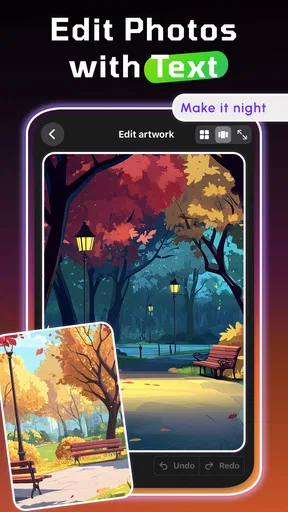
Another cool feature is the ability to tweak and refine your creations. You’re not just stuck with the first result. You can adjust elements like color and contrast to make the artwork truly your own. It’s like having a personal art assistant who never gets tired.
Why You’ll Love It
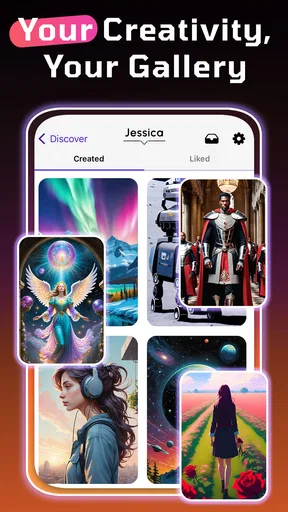
Now, let’s be real – we all love to share what we create. WOMBO Dream understands this and makes sharing your masterpieces a breeze. With direct links to social media platforms, you can show off your art to the world with just a few taps. Plus, the app’s community feature allows you to see what others are creating, which is a fantastic way to get inspired.
I spent hours just scrolling through other users’ creations. It’s genuinely amazing to see the diverse range of art people are making with this app. There’s something incredibly satisfying about seeing a simple text prompt turn into a beautiful piece of art.
Final Thoughts
In a nutshell, WOMBO Dream is a delightful app that makes art accessible to everyone. Whether you’re an art enthusiast looking to experiment with new styles or someone who just wants to have a bit of fun, this app is a must-try. It’s like having a pocket-sized art studio powered by AI.
So, why not give it a go? Dive into the world of AI-generated art and see where your imagination takes you. Who knows, you might just discover a hidden talent or two. Happy creating!
What to expect before you install
WOMBO Studios Inc makes this free art-and-design app for people who want to turn a prompt into a visual without beginning with a blank canvas and a set of drawing tools. It is rated for Everyone, and the app has a 3.7 average from around 526,000 ratings, with over 10 million installs. Those figures suggest a widely tried app, but they are not a promise that every generated image will match your idea. The experience is subjective: one person’s happy accident can be another person’s frustrating miss.
The app was released on October 20, 2021, and its current version is 7.0.4, with Android 7.0 as the minimum OS. It is free to install, while in-app purchases range from $3.99 to $199.99 per item. I would treat those as a reason to check the purchase details in the app before committing to anything, rather than assuming every option or workflow is included at no cost. If you only want to experiment once in a while, start with the free experience and decide whether you have a repeat use for it before spending.
A practical prompt technique is to separate the subject from the mood. Instead of describing every tiny object, I would first decide what the image is about, then add one or two cues about lighting, color, or atmosphere. If the result feels too busy, simplifying the description can help clarify the main idea. If it feels generic, a distinctive setting or contrast can give the prompt a more personal direction. This is not a guarantee of a particular output; it is a way to make each attempt more purposeful.
Small workflow choices make a difference
When I find an image I like, I would keep track of the wording and style that led to it before trying a new direction. That gives me a useful starting point if I want a related result, and it avoids the common trap of changing several things at once and not knowing why the next image feels different. For a set of related concepts, I would preserve the central subject and mood while changing only the element I am exploring, such as the setting. Even then, I would expect variation rather than a perfectly consistent series.
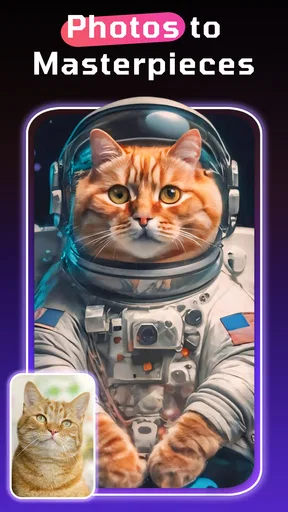
Uploading a photo can be useful when I want to begin from an existing visual reference instead of a purely verbal idea. I would use it as a starting point for experimentation, not assume the app will preserve every detail of the source image. If the identity, exact layout, or subtle features of a photo must remain untouched, a conventional photo editor is the safer choice. This is one of the clearest boundaries between AI generation and editing: the former can reinterpret, while the latter is built around deliberate changes to a known image.
For sharing, I would also think about the audience before posting. An image that works as a playful social post may not have the clarity or consistency needed for a presentation, a product mockup, or a print-ready design. The app’s community can be useful for seeing the range of directions other people explore, but I would use it as a source of ideas rather than as a measure of what my own work should look like. Browsing is most helpful when I return to my prompt with a specific question—such as which mood or visual style I want to try next.
Choosing the right place for it in your toolkit
Compared with other AI image generators, the broad appeal here is the approachable prompt-and-style experience: it gives newcomers a low-pressure way to see an idea rendered without first learning a complex creative interface. Other generators may suit users who prioritize more granular controls or a particular production workflow, but those differences depend on the individual app. I would compare them by testing the same simple concept and asking which one gives me the most usable direction, not by assuming that a longer feature list will automatically produce a better picture.
Compared with drawing apps, the key trade-off is authorship at the level of detail. WOMBO Dream helps me get from words to an image quickly, while a drawing app lets me build and revise the composition deliberately. Compared with photo-editing tools, it starts from generation or reinterpretation rather than simply polishing a finished photograph. If I need exact typography, a repeatable character design, careful layers, or precise object placement, I would move to a tool designed for that task and use this app only for early concepts or visual references.
Switching away after a few experiments is easy in one sense: the app does not need to become the center of a serious art workflow. The real cost is the time spent learning which descriptions and styles tend to lead toward results I enjoy. I would keep a short note of successful prompts outside the app if I plan to revisit a visual direction. That small habit makes experimentation more useful and reduces the feeling that every session starts from zero.
My recommendation depends on what you want to make
I recommend trying it if you are curious about turning a phrase into an image, want a quick source of visual inspiration, or enjoy testing contrasting art styles without drawing everything yourself. It is especially appealing to beginners and casual creators who value surprise and speed more than exact control. I would skip it as a primary tool if your work depends on precise revisions, reliable text inside images, or a consistent set of carefully controlled visuals. In those cases, a drawing or editing app is a better place to finish the job.
For me, the best approach is to treat WOMBO Dream as a creative launchpad: start with a focused prompt, make intentional adjustments, and carry the strongest idea into whichever tool can complete the project. Its quick, playful process is a real strength when I need inspiration, but it does not remove the judgment and finishing work that a specific project may demand. If that balance sounds right for you, it is an easy app to explore; if you want full command of every detail, choose a more hands-on alternative.
Pros
- Creates stunning AI-generated art
- Easy to use with simple interface
- Quick rendering of images
- Wide range of art styles available
- Free version offers great features
Cons
- Limited customization options
- Occasional app crashes
- Requires internet connection
- Ads in the free version
- Some styles require a subscription
FAQs for WOMBO Dream - AI Art Generator
What is WOMBO Dream and how does it work?
WOMBO Dream is an AI-powered art generator app that allows users to create unique artwork by inputting specific keywords or themes. The app uses advanced algorithms to transform these inputs into creative visuals, offering a seamless way to explore digital art without any prior expertise.
Is WOMBO Dream free to use, or are there any hidden costs?
WOMBO Dream offers a free version with basic features, allowing users to explore AI-generated art. However, there are premium subscription options available that unlock additional features and tools. These premium offerings provide enhanced customization and a wider selection of artistic styles.
What platforms support WOMBO Dream, and are there any system requirements?
WOMBO Dream is available for both Android and iOS devices. Users should ensure their devices are running on the latest operating systems for optimal performance. While the app is designed to work smoothly on most smartphones, having a device with a robust processor and ample storage will enhance the experience.
Can I use WOMBO Dream-generated art commercially?
Users should review WOMBO Dream’s terms of service to understand the licensing agreements for commercial use. Generally, the app allows personal use of generated art, but commercial usage might require specific permissions or upgrades to a premium plan. Always verify the terms to ensure compliance.
How secure is my data when using WOMBO Dream?
WOMBO Dream prioritizes user privacy and data security. The app employs encryption and secure data handling practices to protect user information. It’s advisable to read the privacy policy for a comprehensive understanding of how data is collected, used, and stored by the app.


